Overview
Telephone base overview
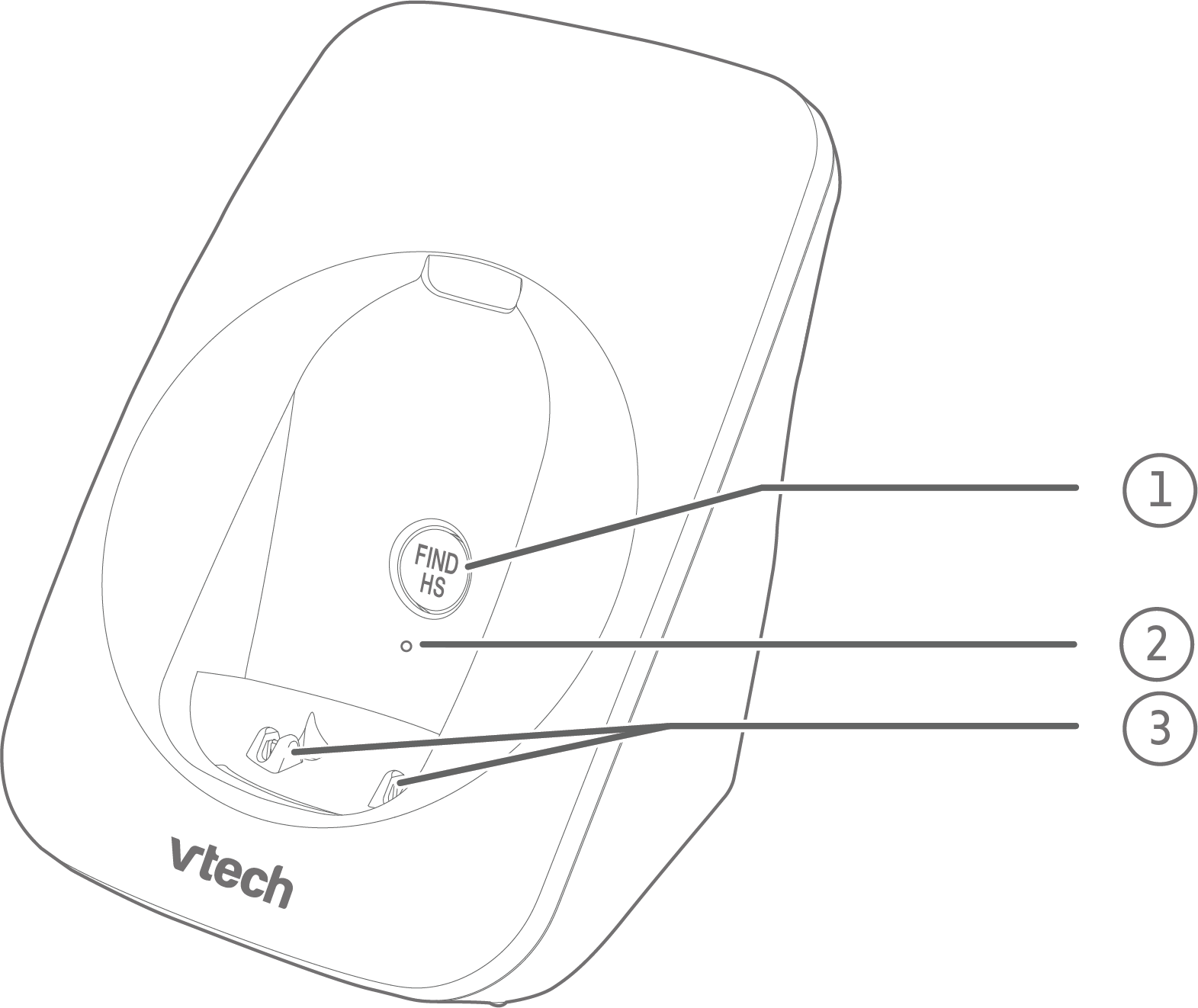
FIND HS
Page all system handsets.
Press and hold for 4 seconds to pair a Bluetooth headset after pressing
 TALK or
  on the handset to get a dial tone.
Bluetooth LED
Flashes quickly when pairing.
Steady on when paired and connected to a Bluetooth headset or when the connected Bluetooth headset is in use.
Off when no Bluetooth headset is paired.
Charging pole
Handset overview
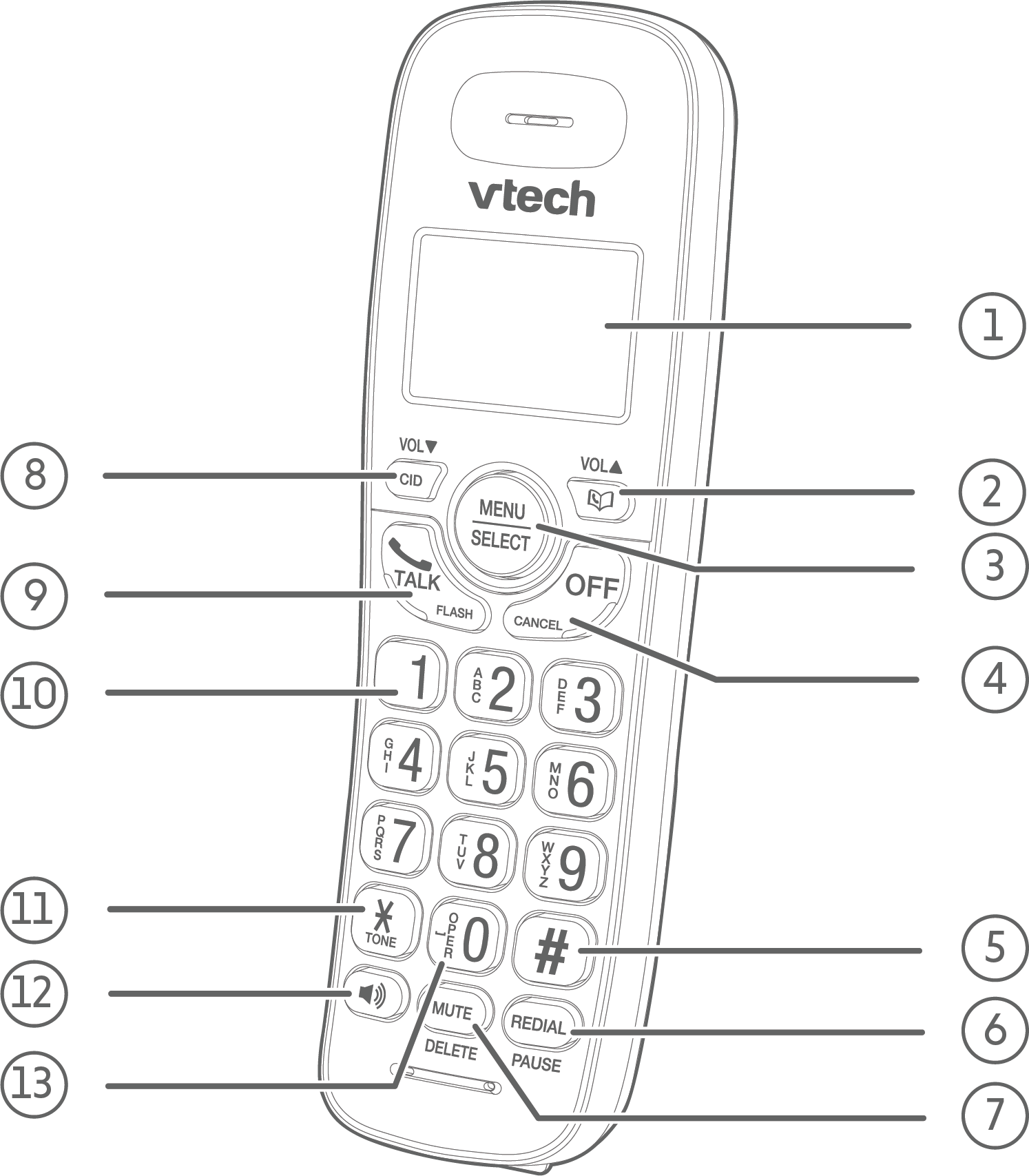
LCD display

Review the phonebook when the phone is not in use.
Scroll up while in a menu, or in the phonebook, caller ID log or redial list.
Move the cursor to the right when entering numbers or names.
Increase the listening volume during a call.
MENU/SELECT
Show the menu.
While in a menu, press to select an item, or save an entry or setting.
OFF/CANCEL
Hang up a call.
Return to the previous menu or exit completely without making changes.
Delete digits while predialing.
Silence the handset ringer temporarily while the phone is ringing.
Press and hold to erase the missed call indicator while the handset is not in use.

Show other dialing options when reviewing a caller ID log entry.
REDIAL/PAUSE
Review the redial list.
Insert a dialing pause while dialing or entering numbers into the phonebook.
MUTE/DELETE
Mute the microphone during a call.
Delete the displayed entry while reviewing the phonebook, caller ID log, or redial list.
Delete digits or characters when entering numbers or names.

Review the caller ID log when the telephone is not in use.
Scroll down while in a menu, or in the phonebook, caller ID log or redial list.
Move the cursor to the left when entering numbers or names.
Decrease the listening volume during a call.
- TALK/FLASH
Make or answer a call.
Answer an incoming call when you receive a call waiting alert.

Press repeatedly to add or remove 1 in front of the caller ID log entry before dialing or saving it to the directory.

Switch to tone dialing temporarily during a call.
Make or answer a call using the handset speakerphone.
During a call, press to switch between the speakerphone and the handset earpiece.

Press to add a space when entering names.
Charger overview
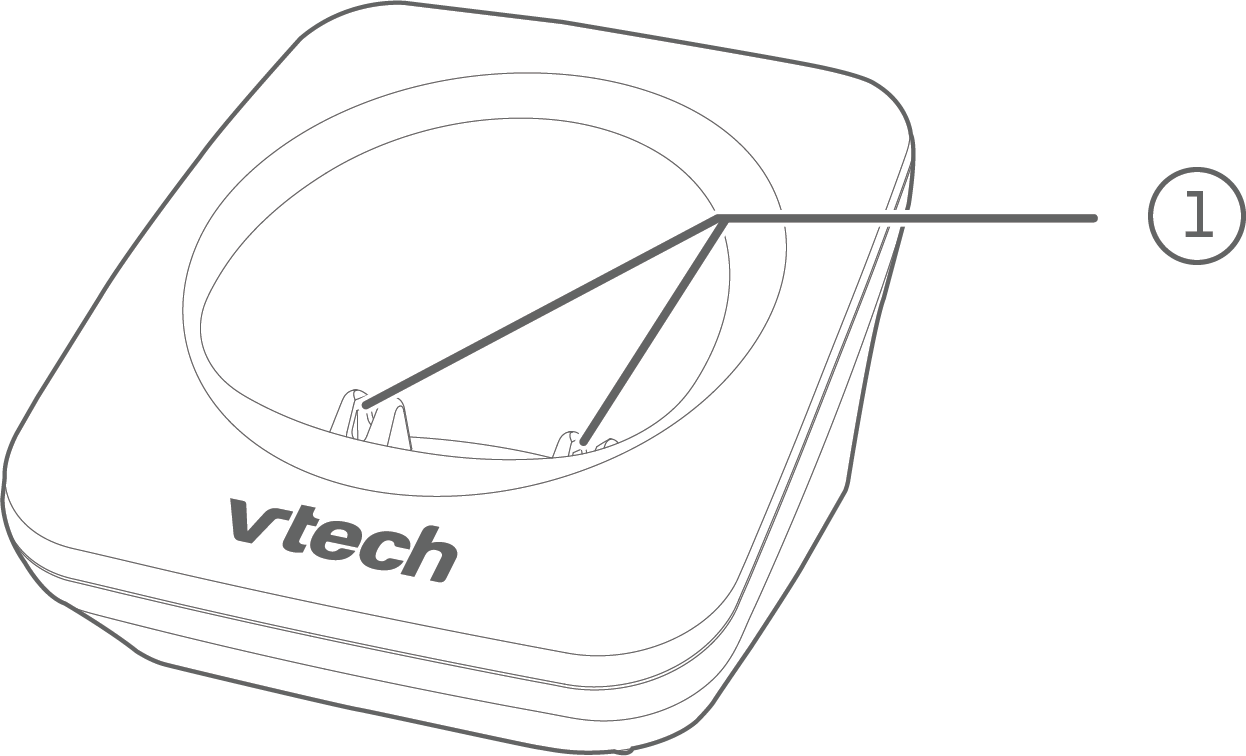
Charging pole
Display icons overview
 |
|
|---|---|
 |
The battery icon animates when the battery is charging. |
 |
The battery icon becomes solid when the battery is fully charged. |
 |
Handset ringer is off. |
 |
There are new voicemail received from your telephone service provider. |
 |
The entry you are reviewing is new in the caller ID log. |